The sheet has become
your system.
It started as one tab to keep track of something. Now your planning, your stock or your entire client administration runs on it, it holds formulas nobody dares to touch, and someone always has the wrong version. Excel is not the problem: it was simply never meant to be software five people work in at once.
Sound familiar?
Three people, three versions
planning_final_v3_JAN.xlsx. Someone works in the wrong copy and you find out when the numbers stop adding up.
One person understands the formulas
Years of logic sit hidden in there. That person goes on holiday or leaves, and nobody dares move a column anymore.
Broken by one keystroke
A pasted row, a sorted column that leaves the rest behind, and no undo that gets you back.
Everyone sees everything
Rates, margins, salaries, client details. A sheet has no roles, so sharing it means sharing all of it.
Retyping between tools
The same customer sits in the sheet, in your accounting and in your inbox. Three places to update, three chances to get it wrong.
No trace of what happened
Who changed this amount, and when? In a sheet there is no way to find out afterwards.
How that sheet becomes software.
The sheet is the specification
Your columns, your statuses and your exceptions are already in there. I read them out instead of asking you to reinvent your process.
Data model first, screens after
What is a customer, what is an order, what belongs to what. A sheet lets that blur; a database pins it down, including what is not allowed.
Your existing data comes along
The history gets imported and cleaned up: duplicate customers merged, dates made consistent. You do not start with an empty system.
Switch over without downtime
Both run side by side first, then the sheet goes read-only. Nobody has to migrate over a weekend.
- ✓One place with the current data, for everyone
- ✓Login with roles, so not everyone sees everything
- ✓Input checks that block impossible values
- ✓A history of who changed what and when
- ✓Integration with your accounting or CRM instead of retyping
- ✓Export to Excel, for when you still need it
Most projects run from € 4,500 to € 9,000. The entry price covers a sheet with one main list and a process that fits in your head; what it becomes for you depends on the number of exceptions, not on the number of rows.
The price depends mostly on how many exceptions your process holds, not on the number of rows. Describe in the form what the sheet does and where it goes wrong, and after half an hour I know enough for an indication. The sheet itself can follow by email.
Where the money actually goes
The screens are not the expensive part. They were not ten years ago and with today's tooling they certainly are not; I use that tooling myself. What does take time is working out what grew inside four years of spreadsheet: which of the three columns called "client" is the real one, why there are rows with a negative quantity, and which exception someone once fixed by hand and has repeated every month since. You cannot ask that of something that does not know your process.
Then that history has to come along without being flattened, you have to switch over while orders keep coming in, and someone has to pick up the phone when it jams on a Tuesday afternoon. That is why the base is the largest line and the components after it mostly decide how big this gets.
What happens when only the building part gets done comes past my desk regularly: systems that worked over a weekend and that nobody dared touch afterwards. No backups, no permissions, keys sitting in the frontend. Cleaning that up is on vibecode to production, and it consistently costs more than having it built properly once.
Not sure you are there yet, start at when your business outgrows Excel or at the trade-off in Airtable, Notion or custom after all. What moving your data actually involves is in migrating your Excel data, and why the sheet can simply stay in you do not have to get rid of Excel.
The same data, as software
Three screens from a working example: an invented catering wholesaler with orders, stock, customers and invoices. Click one and you are inside it, no login.
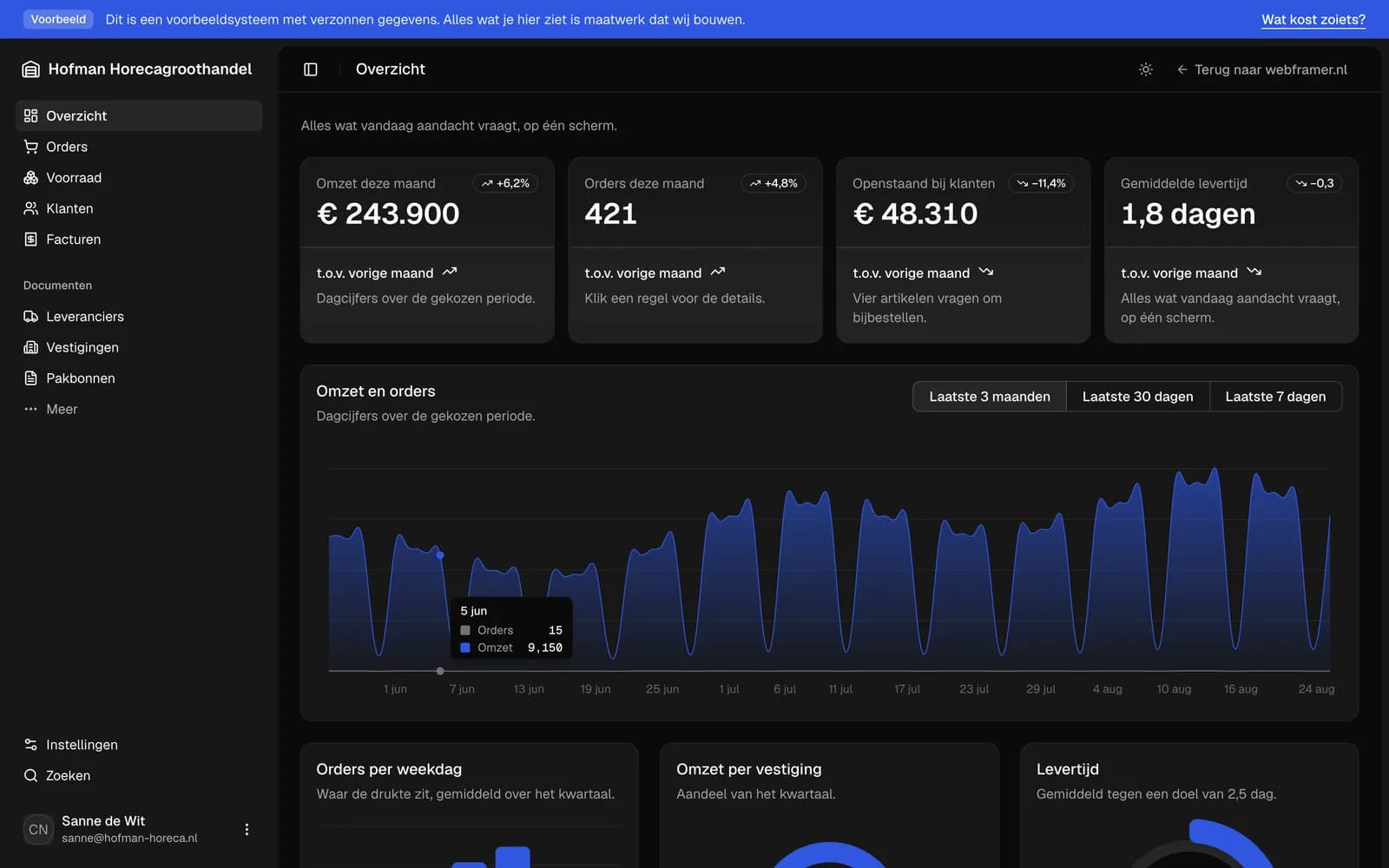
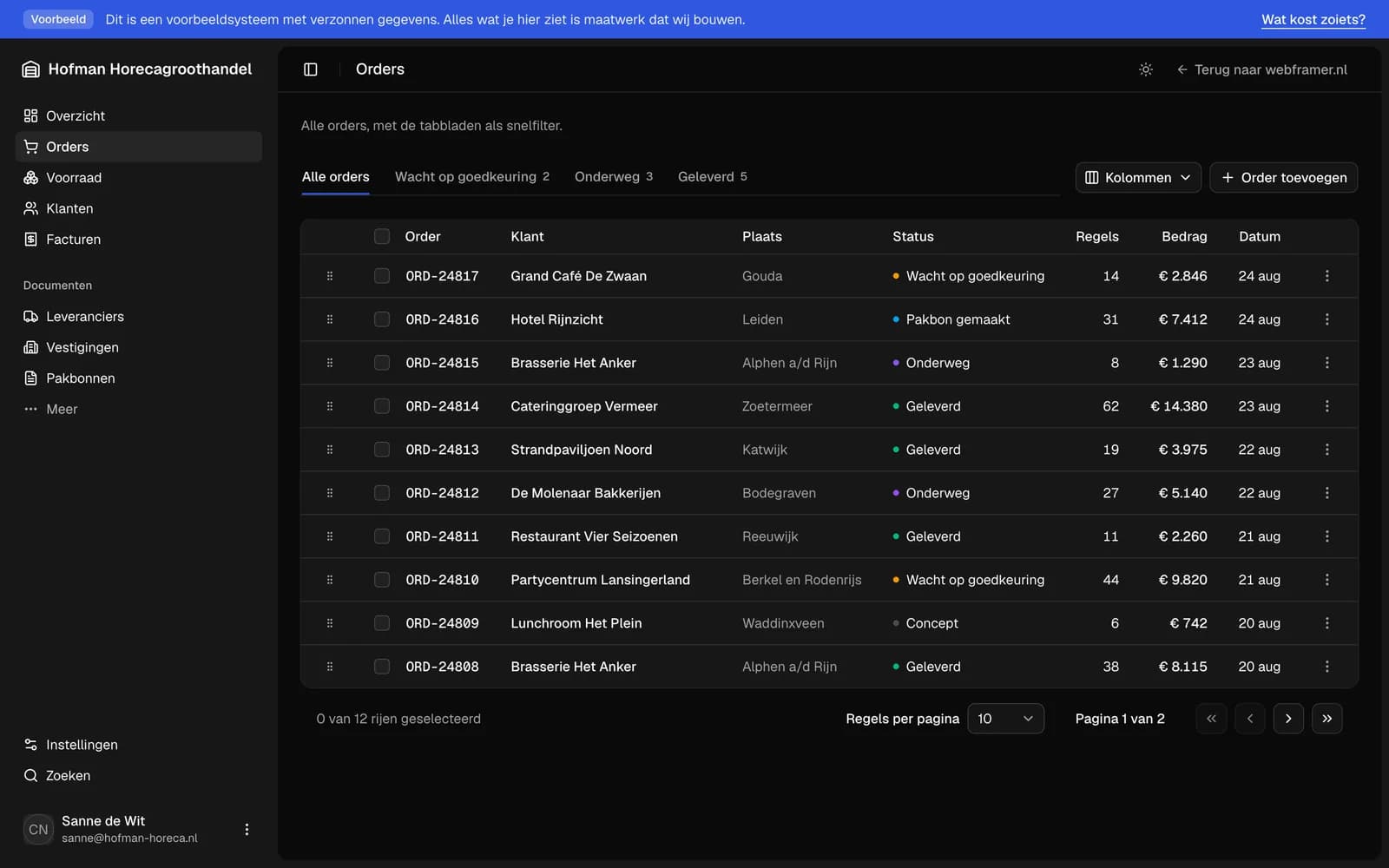
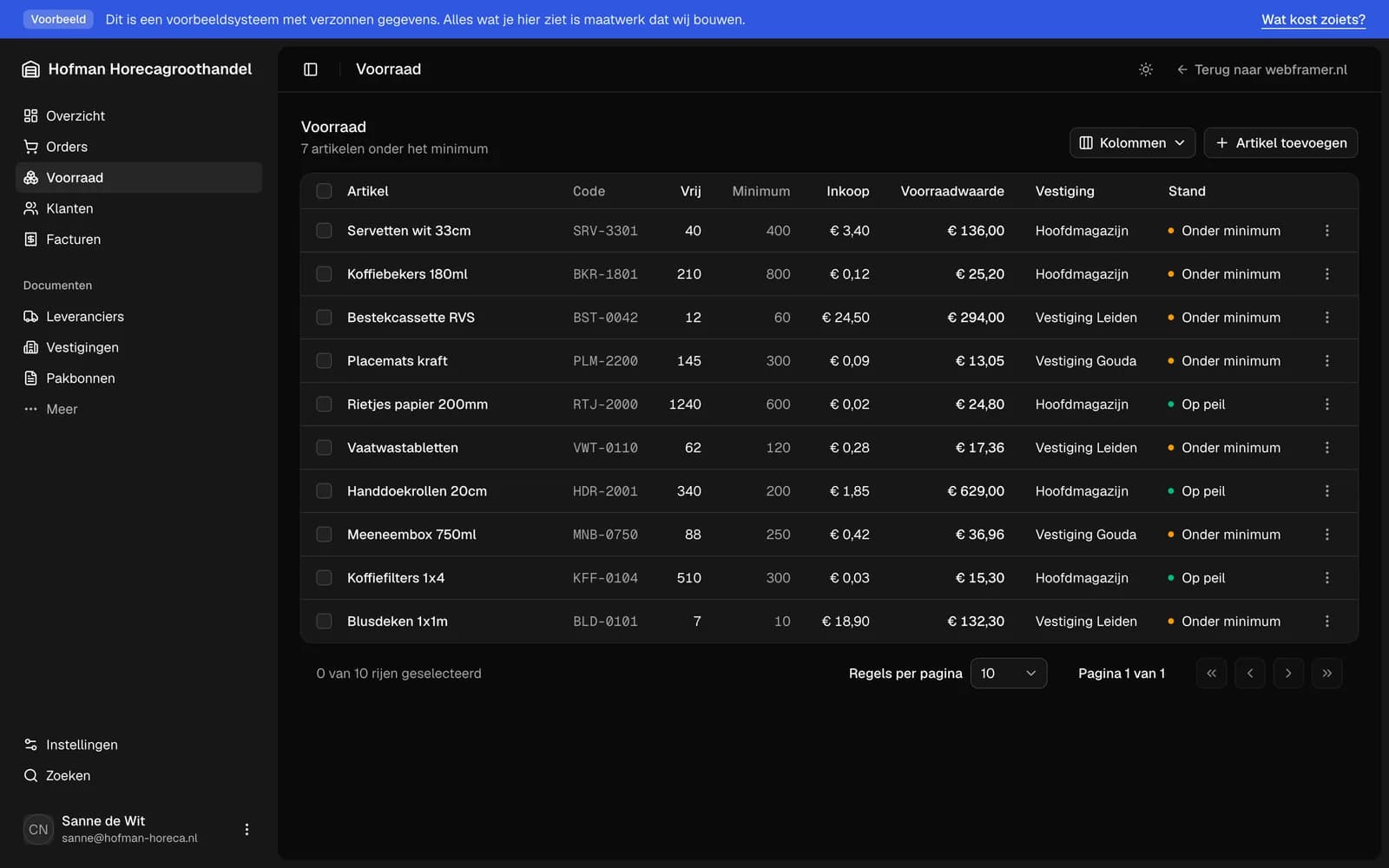
Your sheet out, a system in its place
- Your sheet read through: what counts as a client, an order, a line item here
- Your data migrated and cleaned up, history included, nothing flattened
- Login, user management and one record type with list, filters, search and detail
- Switching over while the business keeps running, plus hosting, delivery and two weeks of aftercare
- Time to launch
- 3 weeks
- Hosting and maintenance p/m
- € 100
Nothing ticked yet. The base is the project itself: picking your sheet apart, migrating it and switching over without downtime. Start with the things you do by hand today; most companies land somewhere in € 4,500 to € 9,000.
This is an indication, not a quote. The components below are scope, not surcharges: what you tick decides how big the project is. After a thirty-minute intake you get one fixed amount per milestone. If the scope turns out different, you hear it before we start and not afterwards on the invoice.
Replaced spreadsheets in the real world
Clients rate me
5 stars on average.
Translated from the Dutch originals on Google.

I am Bas Voets. Since 2021 I have been building websites, client portals and business software for small and mid-sized companies, from Hazerswoude-Dorp in the Netherlands. From first call to launch you talk to me, not to an account manager.
What does replacing Excel with software cost?
How long does the switch take?
Does our existing data come along?
Can we keep using Excel for reporting?
Our people are used to the sheet. Will this work?
Could this not be done with Airtable or a no-code tool?
Tell me what you
want to build.
A half-hour call. You get an honest answer about what it costs, how long it takes and whether building it is smart at all.